Obsidian for Teams: Your Company Brain, on Your Own Server
Can a team share an Obsidian vault? What Obsidian for teams can and cannot do, how self-hosted alternatives compare, and what a company brain needs.
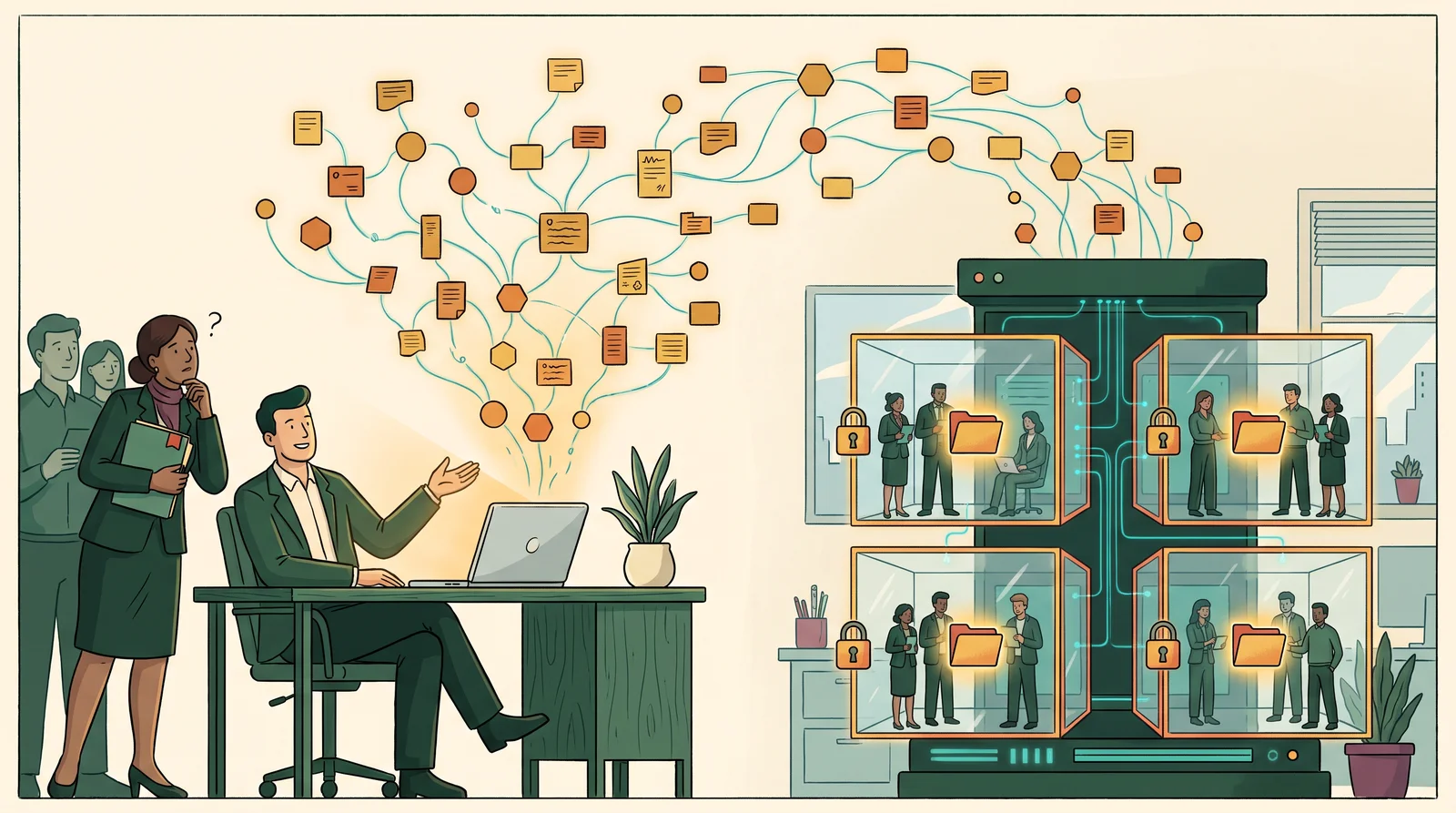
Picture a founder. Call him Tom. On a Sunday evening, he finishes his second brain.
He watched the videos, set up Obsidian, pointed Claude Code at a folder of meeting notes and client emails, and now he can ask it anything. What did we quote the Hendersons? Which supplier was late twice? It answers in seconds, with links to the notes.
On Monday he shows the team and suggests they all use it.
His sales lead, Amara, asks one question first. “Can the others see my client notes?”
Tom does not have a good answer. That question is where a personal second brain stops and a company brain starts.
Obsidian is excellent for one person. For a team, it is missing the walls: who can see what, which customer a note belongs to, and where the data lives. This article explains what breaks, what the alternatives offer, and what Obsidian for a whole company actually needs.
Key takeaways
- Obsidian has been free for work since February 2025, and a shared vault can hold up to 20 people. But Obsidian itself says fine-grained permissions are “not supported yet”, there is no live co-editing, and Sync has no on-premises version.
- A business needs three things a personal vault does not: the customer at the centre, walls between teams and businesses, and consent for what gets captured.
- Self-hostable tools split in two. Wikis such as Outline and Docmost have real permissions but weak linking. Linked-note apps such as Obsidian, Logseq, Anytype and AFFiNE link well but have weak or workspace-level team permissions.
- If your team is small and keeps no customer data in its notes, plain Obsidian with a shared Git folder may be all you need.
Why everyone is building an Obsidian second brain in 2026
In April 2026, Andrej Karpathy shared a pattern he called an LLM wiki. Raw sources go into one folder. An AI model turns them into a linked wiki of summaries and backlinks. Obsidian is the window you read it through (Karpathy’s llm-wiki gist, April 2026).
The idea spread fast. VentureBeat covered it the same week, the gist passed 5,000 stars, and tutorials followed. Nick Saraev’s October 2026 walkthrough of a personal knowledge base built with Claude is a good recent example (both are listed in the sources below).
The detail most people missed is in the gist itself. Karpathy lists a business or team use: an internal wiki kept up to date by AI, fed by Slack threads, meeting transcripts and customer calls.
The ranking tutorials we found do not cover it. They are all built for one person, one laptop and one vault.
Can a team share an Obsidian vault?
Yes, within limits. These are the facts from Obsidian’s own pages, checked in October 2026.
- It is free for work. Since 20 February 2025, “anyone can use Obsidian for work, for free”. The commercial licence is now optional (Obsidian, February 2025). Some coverage still says a licence is required. That is out of date.
- A shared vault holds up to 20 people. Each collaborator needs their own Obsidian Sync subscription (Obsidian Help: Collaborate on a shared vault). Sync costs $4 per user per month on annual billing, or $5 month to month (Obsidian pricing), so a ten-person team pays about $480 a year.
- Everyone gets the same access. Every collaborator has owner rights except inviting others. In Obsidian’s words, “fine-grained permissions are not supported yet”.
- There is no live co-editing. Changes made at the same time are merged when they sync. Real-time collaboration is listed as “Planned” on Obsidian’s roadmap.
- Sync cannot run on your own server. “Obsidian Sync does not have an on-premises solution at this time” (Obsidian Help: Syncing for teams). Teams that want to self-host share the folder another way, with Git, a NAS or Syncthing.
None of that is a criticism. Obsidian was built as a private, local-first tool, and it stores your notes as plain Markdown files you own. Those are the reasons people love it.
They are also the reasons it struggles when ten people and a hundred customers share one vault.
Where a shared vault breaks for a business
A team vault usually fails in one of five places.
Permissions. In a shared vault, everyone sees everything. That is fine for a reading list. It is not fine for salaries, a client’s contract terms or a disciplinary note. The only walls are separate vaults, and separate vaults cannot share links, backlinks or a graph.
Customers. A personal vault is organised around ideas. A business is organised around customers. When a note about the Henderson job is just a page with a few links, nothing guarantees that every call, quote and complaint about the Hendersons ends up attached to them.
Chats. In many small businesses, the most important conversations happen in WhatsApp, not in documents. A vault only knows what someone remembers to paste into it.
Consent. Once customer conversations feed an AI wiki, you need to know which chats you are allowed to keep, and who decided. A folder of Markdown files has no record of that.
Control. There is no web version, no admin lock on settings, and no single sign-on is documented. Each person installs the app and chooses their own plugins (Obsidian Help: Deploy Obsidian). Obsidian’s roadmap lists “Obsidian for Work” controls as in progress, but they are not here yet.
We cover why more pages do not solve this kind of problem in why your wiki doesn’t fix knowledge management.
Obsidian for teams alternatives, compared
If Obsidian on its own is not enough, the usual next step is to look at alternatives. This is how the common ones compare on the four things a team cares about, as of October 2026.
| Tool | Runs on your own server | Team permissions | Live co-editing | Linked notes and graph |
|---|---|---|---|---|
| Obsidian (with Sync) | App is local; Sync is not | Vault-level only | No (planned) | Yes, its strength |
| Notion | No | Yes, per page | Yes | Backlinks, no graph |
| Outline | Yes | Yes, groups and collections | Yes | Backlinks, no graph |
| Docmost | Yes | Yes; SSO in the paid edition | Yes | Wiki, no graph |
| AFFiNE | Yes | Workspace members | Yes | Yes |
| Anytype | Yes | Shared spaces | Through sync | Yes |
| Logseq | Local files; team sync in alpha | Not documented | In alpha | Yes |
Sources: each tool’s own documentation and repository, checked October 2026. The Notion row reflects Notion’s help centre in general.
The pattern is clear once it is laid out. The tools that run on your own server and have real permissions, such as Outline and Docmost, are wikis. They are good at pages and weak at links. The tools that link well, such as Obsidian, Logseq, Anytype and AFFiNE, have weak or workspace-level team permissions.
None of them puts the customer at the centre.
What “on your own server” buys you, and what it costs
Where company data lives used to be a niche concern. In 2026 it is a leadership concern for many companies. The surveys below measure sovereignty and local providers; running your own server is the furthest point on that spectrum.
In Germany, 85% of companies with 20 or more staff say the country is too dependent on US cloud providers, up from 78% a year earlier (Bitkom Cloud Report, June 2026, 603 companies). Gartner found that 61% of Western European CIOs expect geopolitics to push them towards local cloud providers (Gartner, November 2025).
The AI question makes it sharper. In a 2025 KPMG and University of Melbourne study, 46% of US workers surveyed said they had uploaded sensitive company information to public AI platforms (KPMG, April 2025). If your company brain lives on your own server, you decide which model reads it and what leaves the building.
There is a balance to strike. In Cisco’s 2025 privacy study, 90% of organisations said local data storage is “inherently safer”, yet 91% also trusted global providers to protect their data (Cisco, April 2025; Cisco sells security products). Both can be true.
Self-hosting also costs something. Someone has to run the server, apply updates and test the backups. For a small business, that someone is usually a partner, not a new hire. Decide who it is before you choose the tool.
What Obsidian for a whole company needs: four design rules
If you like the way Obsidian links ideas and want it for the whole business, these are the four rules that matter more than any feature list.
1. Put the customer at the centre. In a personal vault, notes link to ideas. In a business, every note, chat, task and file should hang off a company or a contact. Then “show me everything about the Hendersons” has one reliable answer.
2. Build walls between teams and businesses. Sales and operations can share a client without sharing every message about them. If one owner runs several companies, each company needs its own space. Those walls should be enforced where the data is stored, not by asking the AI to be careful.
3. Capture by consent, not by default. Decide which WhatsApp groups, inboxes and folders the system may keep, and record who decided. Anything not chosen stays out.
4. Let the assistant draft, never decide. The AI should answer with its sources, say so when the evidence is missing, and leave sending, approving and closing work to a person.
This is how we build. ZenCRM, the foundation we use for client projects, is modelled on the way Obsidian links ideas, but it runs on the client’s own server and ties every note, chat, task and file to a company or contact. We build and secure that server for each client, so the data stays on their own infrastructure. Luma, a WhatsApp-to-pipeline system for a real estate agency, was the first build on it. Harbour, a company brain for a group of five businesses, is being built on it now. You can read how that went, including the project we lost, in our WhatsApp CRM case study.
When plain Obsidian is enough for your team
Not every team needs a company brain. Plain Obsidian, shared through Git or a synced folder, is often enough when:
- the team is small, say five people or fewer, and everyone can see everything;
- the notes are about how you work, not about customers;
- nobody needs to edit the same note at the same time;
- one person is happy to own the setup and the plugins.
You can test this week, without new software.
Pick your five most important customers. For each one, try to find every conversation, quote and promise from the last three months in under two minutes.
If you can, your notes are working. If the answers are scattered across chats, inboxes and someone’s memory, the problem is not your note-taking app. It is that nothing ties your work back to the customer.
Obsidian for teams: frequently asked questions
Can multiple people use the same Obsidian vault?
Yes. With Obsidian Sync, up to 20 people can share a vault, and each needs their own Sync subscription. Teams can also share a vault folder through Git, a NAS or Syncthing.
How much does Obsidian cost for a team?
The app is free, including for work. A shared vault needs Obsidian Sync for each collaborator, at $4 per user per month on annual billing, or $5 month to month. A ten-person team pays about $480 a year. Teams that share the folder through Git or Syncthing pay nothing to Obsidian, but someone has to run that setup.
What is the best Obsidian alternative for teams?
It depends on what you need most. For a self-hosted wiki with real permissions, Outline and Docmost are the closest fit. If linked notes matter most, Anytype and AFFiNE can be self-hosted and link well, but their team permissions are set per workspace or space. If you need customer records, walls between teams and consent for what gets captured, you need a company brain rather than a note app.
Do we need a commercial licence to use Obsidian at work?
No. Since 20 February 2025, the commercial licence has been optional. Companies can still buy it to support Obsidian.
Does Obsidian support real-time collaboration?
Not yet. Edits made at the same time are merged when they sync, and live co-editing is listed as planned on Obsidian’s roadmap. Some community plugins add it, with their own trade-offs.
Can Obsidian Sync be self-hosted?
No. Obsidian says Sync has no on-premises version. To keep everything on your own server, share the vault folder another way, such as Git or Syncthing.
Can I restrict team members to certain folders?
Not inside one shared vault. Obsidian says fine-grained permissions are not supported yet. The workaround is separate vaults, which cannot share links, backlinks or a graph.
Is Obsidian safe for customer data?
The files are plain Markdown on your own devices, which is a good start. The risks are everything around them: who can open the shared vault, which plugins are installed, and which AI tools are given access to the folder.
Start with one question
If you want a company brain, do not start by moving every note into a new tool. Start with the one question your business keeps failing to answer, and build the smallest system that answers it with sources.
A personal second brain remembers what you think. A company brain remembers what you promised, to whom, and who is allowed to know.
Continue learning
- What is a company brain? A guide for small businesses: the five parts of a company brain, and how small teams start.
- WhatsApp CRM for real estate: a company brain case study: how a 45-day WhatsApp CRM became the start of a company brain.
- Business knowledge base vs second brain: where a knowledge base and a second brain each fall short for a business.
- Your Second Brain Is Not a Pipeline: why important conversations should become leads, tasks and decisions.
Map your workflow
If your team is outgrowing a shared vault, start with the question it keeps failing to answer. We can map where your knowledge lives today, who needs to see what, and whether plain Obsidian is enough.
Book a Map your workflow call.
Sources and further reading
- Andrej Karpathy, “llm-wiki” (GitHub gist, April 2026): the LLM wiki pattern, including its business and team use case.
- VentureBeat, Karpathy’s LLM knowledge base architecture (April 2026): early coverage of the pattern. Its note on Obsidian licensing is out of date.
- Nick Saraev, personal knowledge base with Claude (October 2026): a recent single-user walkthrough.
- Obsidian pricing: Sync price per user, checked October 2026.
- Obsidian, “Obsidian is now free for work” (February 2025): the commercial licence change.
- Obsidian Help, Collaborate on a shared vault: the 20-person limit and permissions.
- Obsidian Help, Syncing for teams: no on-premises Sync.
- Obsidian Help, Deploy Obsidian: per-device installs and configuration.
- Obsidian roadmap: Multiplayer and Obsidian for Work status.
- Bitkom Cloud Report 2026: German companies’ dependence on US cloud providers.
- Gartner, CIOs and local cloud providers (November 2025): geopolitics and local cloud.
- KPMG and University of Melbourne, Trust in AI 2025: workers uploading company information to public AI.
- Cisco 2025 Data Privacy Benchmark: views on local data storage (vendor study).
- Tool documentation for the comparison table: Notion data residency, Outline, Docmost, AFFiNE, Anytype self-hosting, Logseq.
What is your team carrying that a system should?
Map one workflow that keeps getting missed, rebuilt, or stuck in someone’s head.
Map your workflow