What Is a Company Brain? A Guide for Small Businesses
A company brain is one shared memory of your business that people and AI can ask. What it is, how it differs from a wiki, and how small teams start.
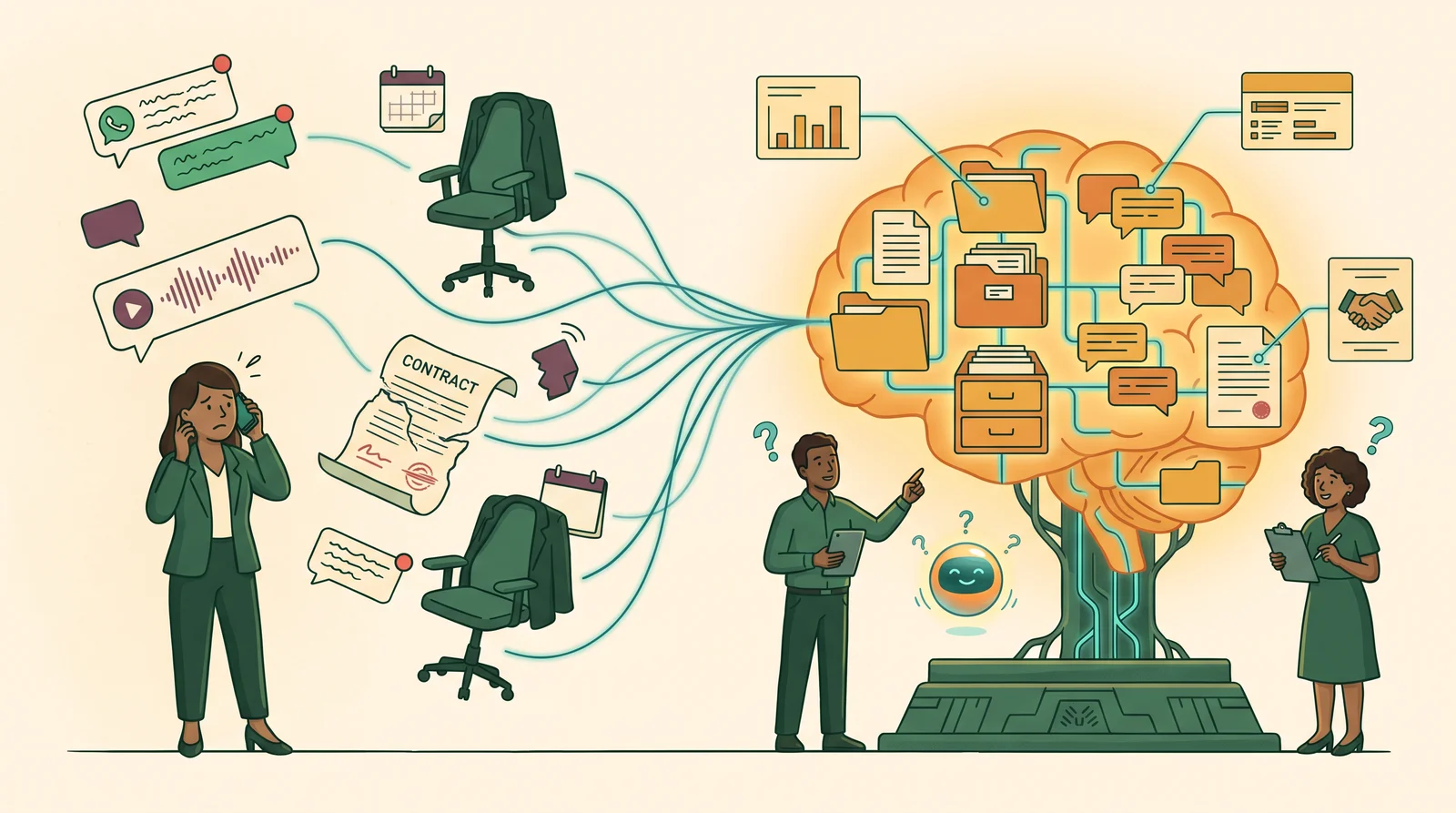
Late on a Thursday, a client named Daniel calls and asks what was agreed about the second payment.
The owner, Grace, knows the answer exists. It is somewhere in a WhatsApp group from March, in a voice note nobody transcribed, or in the head of a colleague who is on leave this week.
Ten minutes of scrolling later, the answer turns up. Or it doesn’t, and Grace guesses.
This is the problem a company brain is meant to solve. A company brain is one shared memory of your business. It holds conversations, documents, decisions and customer history, and both people and AI can ask it questions. The answers show where they came from and respect who is allowed to see what.
The term took off in 2026, mostly in conversations about large companies and AI agents. Small businesses need the idea more, and almost nobody is explaining it for them. This guide does.
Key takeaways
- A company brain is one shared, searchable memory of your business that people and AI can both question, with answers that cite their source.
- It differs from a wiki or shared drive in three ways: it captures work as it happens, it links everything back to a customer, and it controls who can see what.
- In many small businesses the most important memory lives in WhatsApp, so consent and permissions matter more than features.
- Start with one question your business keeps failing to answer, not with “everything”.
In this guide
- What is a company brain?
- Company brain vs second brain vs knowledge base
- Where the idea came from
- Why small businesses need one now
- The five parts of a company brain
- Permissions: walls between businesses and teams
- Consent: what it should not keep
- Why most company brains fail
- How to build one for a small business
- Frequently asked questions
What is a company brain?
A company brain is a system that remembers what your business knows and can answer questions about it, with sources.
That sounds like a knowledge base. The difference is in how the memory is built and used. A company brain has five parts:
- Capture. Conversations, emails, call notes and documents flow in as work happens, instead of waiting for someone to write them up.
- Links. Every message, file, task and note is attached to a company or contact, so knowledge has an owner and a context.
- Memory. The content is searchable and kept fresh, with old facts marked as old.
- Boundaries. Each business and team sees only what it should.
- An assistant. People can ask questions in plain language and get answers that cite the original message or document.
Two things a company brain is not.
It is not a folder of notes with better search on top. Plenty of so-called company brains are little more than a folder of markdown files, and the criticism they get for it is fair. Notes do not capture themselves, link themselves or refuse access to the wrong person.
It is also not a chatbot that makes things up. A company brain that cannot show its source is just a confident guess.
Company brain vs second brain vs knowledge base
A company brain is shared, connected to live work, and permissioned. A second brain is personal. A knowledge base is written on purpose and goes stale unless someone maintains it. We look at the gap between those two in more detail in business knowledge base vs second brain.
Most small businesses already have pieces of all of these. Here is how they compare.
| Who it serves | How knowledge gets in | Linked to customers | Controls who sees what | Answers questions | |
|---|---|---|---|---|---|
| WhatsApp group | Whoever is in the group | Automatically, as people chat | No | Group membership only | No |
| Shared drive | The whole team | Someone saves a file | Only by folder name | Folder sharing | No |
| Wiki or knowledge base | The whole team | Someone writes a page | Rarely | Page permissions | Search only |
| Personal second brain | One person | That person captures notes | Sometimes | Not needed | Yes, for one person |
| CRM | Sales and service | Someone logs an activity | Yes | Roles | Reports, not questions |
| Company brain | Every team, with walls | Captured from the work itself | Yes, everything | By business and team | Yes, with sources |
The useful way to read this table is not “replace everything”. A company brain usually sits on top of the tools a business already uses. WhatsApp keeps being the place where clients talk. The company brain makes sure those conversations are not lost there. A wiki cannot do that job on its own, for reasons we cover in why your wiki doesn’t fix knowledge management.
We wrote about one side of this in Your Second Brain Is Not a Pipeline: a sales conversation needs to become a lead and a follow-up, not another note. A company brain is where both jobs meet. It remembers, and it moves work forward.
Where the idea of a company brain came from
The idea is older than the name.
In 1945, Vannevar Bush described the memex, a desk-sized machine that would store a person’s books, records and letters and let them follow “associative trails” between them (The Atlantic). It was a personal memory, mechanised.
Decades later, the “second brain” movement turned that into a method for individuals: capture what matters, organise it, return to it. Andrej Karpathy’s “LLM wiki” pattern, where an AI maintains a personal knowledge base, went viral among builders wiring tools like Obsidian to coding assistants (Techstrong.ai).
The jump to “company brain” came when startups and investors started asking what happens when a whole organisation needs that memory. According to VC Cafe’s summary, Y Combinator’s Summer 2026 Request for Startups included a “Company Brain” entry (VC Cafe). Dozens of vendors now use the term. Nobody owns it.
That history explains why most explanations focus on large companies. It does not mean small businesses are the wrong audience. They are the ones with the least slack when knowledge goes missing.
Why small businesses need a company brain now
Small businesses lose more to forgotten knowledge than they realise, and their knowledge is more concentrated in a few people and a few chat apps.
Time goes into searching. McKinsey Global Institute found that interaction workers spend nearly 20 percent of their week looking for internal information or tracking down colleagues who can help (McKinsey Global Institute, 2012). Atlassian’s 2025 State of Teams research, a survey of 12,000 knowledge workers, put the figure at over 25 percent of the workweek (Atlassian, 2025). The studies are 13 years apart and point the same way.
Knowledge walks out of the door. In a YouGov survey commissioned by Panopto, 42 percent of institutional knowledge was unique to the individual (Panopto, 2018). That survey covered larger US firms. In a ten-person business the risk is likely higher, because one person often holds an entire client relationship.
The real inbox is WhatsApp. WhatsApp has more than 3 billion monthly active users (Meta Q1 2025 earnings call). In many markets, that is where clients send enquiries, documents and approvals. Yet none of the top 10 Google results for “what is a company brain” mention it (our review of English-language results, October 2026).
Most small firms have not started. The US Census Bureau’s Business Trends and Outlook Survey found that 19.8 percent of US businesses had used AI in the previous two weeks as of May 2026. Size made a big difference: the share was 37 percent for firms with 250 or more employees, but below 20 percent for firms with four or fewer (US Census Bureau, 2026). That leaves a lot of room for a small business to get ahead by getting the basics right.
The five parts of a company brain
Every company brain worth the name does five jobs. Tools differ in how they do them, but if one is missing, the system breaks in a predictable way.
1. Capture
Knowledge should enter the system as a side effect of doing the work. If someone has to copy a chat into a document, it will not happen on a busy Thursday.
Capture usually works through adapters. WhatsApp is one. Email, call recordings, web forms and file storage such as Google Drive are others. Without capture, the brain only knows what someone remembered to tell it.
2. Links
Every piece of knowledge should hang off something the business cares about: a company, a contact, a deal or a project. A note about “pricing concerns” is far more useful when it sits on the client record it belongs to.
This is the idea behind tools like Obsidian, where notes link to each other. A company brain applies it to the business, with customers at the centre. Without links, you have a pile of searchable text with no context.
3. Memory
The content has to be searchable and current. A good company brain records when it learned something and labels stale information as stale, so last year’s price does not quietly win over this year’s. Without freshness, the brain answers with confidence and gets it wrong.
4. Boundaries
Different businesses and teams need different views. That part is important enough to get its own section below. Without boundaries, the brain leaks.
5. The assistant
The assistant is how most people will use a company brain. They ask “what did this client say about the deposit?” and get an answer with the message attached. The best assistants also say “I can’t find evidence for that” instead of guessing. Without citations, nobody can trust the answers.
Company brain permissions: walls between businesses and teams
A company brain should only show each person what they are already allowed to see, and that rule has to be enforced by the system itself, not by a line in an AI prompt.
Most company brain guides we reviewed describe permissions only in enterprise terms. A recent critique from Spinach, which itself sells company brain software, lists broad agent access as an unsolved gap. The numbers show why it matters:
- AI systems with excessive permissions had 4.5 times more security incidents than those with least-privilege access, in a Teleport-commissioned survey of 205 security leaders at larger companies (Teleport, 2026).
- 65 percent of organisations reported at least one AI agent-related security incident in the past year, in a Cloud Security Alliance survey sponsored by Token Security (Cloud Security Alliance, 2026).
- 34.8 percent of the corporate data employees put into AI tools was sensitive, according to Cyberhaven’s analysis of usage across 7 million workers (Cyberhaven, 2025).
Those surveys skew towards large companies. The principle applies at any size.
For a small business, permissions usually come down to three walls:
Between businesses. Many owners run more than one company. A property agency and a property management firm under the same owner should not share client conversations by accident. The owner can see across them; staff see their own.
Between teams. Sales and operations can share the same client list without seeing each other’s messages, tasks or notes. Handing a conversation from one team to another should be a deliberate, recorded step.
Between people and the assistant. The assistant should only reach what the person asking can reach. If a team member cannot open a conversation, the assistant cannot quote it to them either.
The strongest version puts these walls in the database itself, so a search, a summary or the assistant simply cannot return a record the person is not allowed to see. That is a stronger guarantee than telling an AI to be careful.
Consent: what your company brain should not keep
A good company brain keeps less than it could. For chat apps especially, nothing should be stored until someone has chosen to store it.
It is tempting to connect every WhatsApp group and let the AI sort it out. That creates three problems. Personal and business chats get mixed. Clients and staff have not agreed to their messages being stored and analysed. And the brain fills up with noise that makes answers worse.
A safer pattern looks like this:
- Use a dedicated business number for the company brain, not someone’s personal account.
- Choose groups one by one. Until a group is approved and assigned to a team, store nothing but the fact that it exists.
- Tell participants. Let clients and staff know when a conversation is being recorded for the business, and check what your local privacy law requires.
- Decide how long to keep things. A retention rule is easier to set on day one than after a year of stored messages.
- Make the assistant read-only. It can read and draft. It should not send messages on anyone’s behalf.
None of the top-ranking company brain guides covers WhatsApp consent. For businesses that run on chat, it is the first question to answer.
Why most company brains fail
Most company brains fail because nobody keeps them alive, not because the AI is weak.
Gartner predicts that through 2026, organisations will abandon 60 percent of AI projects that are unsupported by AI-ready data (Gartner, 2025). Slite, which sells a company brain product, surveyed 149 teams through its own audience in July 2026. Of those who had tried to build one, 55 percent gave up. In Slite’s words, “the reason is almost never the technology. It’s the upkeep.” (Slite, 2026). Treat that as an early signal from AI-forward teams, not a census.
Gartner’s figure is about data readiness rather than upkeep, but both point the same way. The system depends on people doing extra work: writing summaries, filing documents, tagging notes. When the business gets busy, that work stops and the brain goes stale.
The fix is to design the brain around the work that already happens:
- Capture conversations automatically from the channels clients already use.
- Turn the conversations that need action into leads, tasks and follow-ups, not more notes.
- Attach documents to the client they belong to as they arrive.
- Let the daily brief and the assistant show what has changed, so people use the system because it saves them time.
A company brain that nobody has to feed is one that survives.
How to build a company brain for a small business
Start with one question your business keeps failing to answer. Build the smallest system that answers it, then grow from there.
Step 1: Pick the question
Good first questions sound like this:
- “What did we last tell this client, and what are we waiting on?”
- “Which enquiries from this week have not had a reply?”
- “Where is the signed contract for this job?”
Pick the one that costs you the most when nobody can answer it.
A quick test, with no new software: list the last five client questions nobody could answer in under two minutes. The question that appears most often is your starting point.
Step 2: Find where the answer lives today
For most owner-led businesses, it is a mix of WhatsApp groups, an email inbox and a few people’s memories. Write down the channels. That list becomes your first set of adapters.
Step 3: Capture one channel, with consent
Connect one source, usually the busiest one. Approve the specific groups or inboxes that matter, and leave the rest out.
Step 4: Link everything to the customer
Make sure every captured message and document attaches to a company or contact. This is the step that turns a searchable archive into a memory of each relationship.
Step 5: Ask, check and widen
Use the assistant to answer your first question every day for a few weeks. Check its sources. When it reliably answers that question, add the next channel, team or business.
A company brain example: Luma and Harbour
Our first build of this kind was Luma, for a real estate agency whose buyer conversations lived in WhatsApp. According to our project records, it went live in 45 days. In that time it handled at least 100 buyer conversations, plus the contracts, invoices and other documents that came with them. New leads appeared in the pipeline as soon as the first message arrived, and the manual work of logging them stopped. The full story, including the follow-on project we did not win, is in our WhatsApp CRM case study.
The lessons from Luma now shape Harbour, a company brain we are building for a group of five companies and their teams. The first question was the same. The walls around the answers are what changed: they sit in the database, so no search, summary or assistant answer can cross from one company or team into another.
Buy, build or commission?
There are three broad routes:
- Buy company brain software. It is fastest to start. Most products are built for larger teams on Slack and Google Workspace, so check how they handle WhatsApp, several businesses and per-team permissions.
- Build your own with AI tools. A folder of notes plus an AI assistant can work well for a solo founder. It usually breaks down once several people and teams are involved.
- Commission a bespoke system on your own server. It takes more effort up front, but you own the data and the system fits how your business already works. Start with one workflow to prove the value before building more.
Whichever route you choose, judge it against your first question, not against a feature list.
Frequently asked questions
What is a company brain in simple terms?
A company brain is one shared memory of your business that you can ask questions. It gathers your conversations, documents and customer history in one place, links them to the right client, and answers questions with the source attached.
Is a company brain the same as a knowledge base?
No. A knowledge base holds pages that people write on purpose, and it goes stale when they stop. A company brain captures knowledge from the work itself, links it to customers, controls who can see it, and answers questions about it.
What is the difference between a second brain and a company brain?
A second brain belongs to one person and holds what they choose to capture. A company brain is shared across a business, so it needs links to customers and rules about who can see what. A second brain can be private by default. A company brain has to be permissioned by design.
Do I need to be technical to use a company brain?
No. Using one should feel like asking a well-informed colleague a question. Setting one up does involve technical choices about capture, permissions and hosting, which is why many small businesses get help with the first build.
What happens to company knowledge when an employee leaves?
Without a company brain, much of it leaves with them. With one, their client conversations, documents and decisions stay attached to the client records, so the next person can pick up where they left off.
How is a company brain different from RAG or enterprise search?
Enterprise search finds documents. RAG, short for retrieval-augmented generation, is a technique where an AI fetches relevant text before it answers. A company brain usually uses both, then adds what they leave out: capture from live work, links to customers, and permissions that decide what each person and the assistant can reach.
How long does it take to build a company brain?
A first useful version can take weeks, not months, if it answers one question from one channel. Luma, our first build, went live in 45 days. A company brain that spans several businesses and teams takes longer, because the permissions and consent rules have to be designed before any data comes in.
Is “company brain” just a marketing term?
Partly. Many products use the label for little more than search over documents. The idea underneath is real: a shared memory that captures work as it happens, respects permissions and shows its sources. Judge any system by those three things, not by the name.
Start with one question
A company brain is not a bigger place to store information. It is a shared memory that captures work as it happens, links it to your customers, keeps the right walls in place and answers with evidence.
The term is new, and most of the conversation is aimed at large companies. Small businesses have the most to gain, because their knowledge sits in so few people and chat threads.
You do not need to build all of it at once. Pick the question your business keeps failing to answer, and start there.
Continue learning
- WhatsApp CRM for real estate: a company brain case study: how a 45-day WhatsApp CRM became the first piece of a company brain.
- Business knowledge base vs second brain: where a knowledge base and a second brain each fall short for a business.
- Why your wiki doesn’t fix knowledge management: why writing more pages rarely solves the problem.
- Operational software for service businesses: how ZenRocket AI builds lead flow, client delivery and knowledge systems.
- Your Second Brain Is Not a Pipeline: why important conversations should become leads, tasks and decisions instead of more notes.
Map your workflow
If your business keeps failing to answer the same question, start there. We can map where that knowledge lives today, what a first build should capture, and whether custom software is the right answer.
Book a Map your workflow call.
Sources and further reading
- McKinsey Global Institute, “The Social Economy” (2012): time spent searching for internal information.
- Atlassian, State of Teams 2025: time teams spend searching for information.
- Panopto, Workplace Knowledge and Productivity Report (2018): share of knowledge unique to individuals.
- Meta Q1 2025 earnings call transcript: WhatsApp monthly active users.
- US Census Bureau, AI use among businesses (2026): AI adoption by firm size.
- Gartner, lack of AI-ready data puts AI projects at risk (2025): AI project abandonment.
- Slite, company brain survey findings (2026): vendor survey on company brain adoption and abandonment.
- Teleport, 2026 State of AI in Enterprise Security: incidents and AI permissions.
- Cloud Security Alliance, AI agent survey (2026): AI agent-related incidents.
- Cyberhaven, AI Adoption and Risk Report (2025): sensitive data entered into AI tools.
- Vannevar Bush, “As We May Think” (The Atlantic, 1945): the memex.
- VC Cafe, YC Requests for Startups, Summer 2026: the “Company Brain” request.
What is your team carrying that a system should?
Map one workflow that keeps getting missed, rebuilt, or stuck in someone’s head.
Map your workflow